Your setlist, on your phone
I shipped 1.1 (fixes) yesterday and woke up to a feature request from Rich Olivieri in the Crumar Seven User Group on Facebook:
“I’m wondering if you can create some iOS companion app that can show what’s in each bank for reference. I wouldn’t plan having the usb cable attached to my laptop at a gig. But would be good to setup the 7 beforehand.”
My first thought was that getting a phone talking to the Crumar is a networking nightmare. Then it occurred to me that isn’t what Rich is asking for. All you really want is a list — the eight patches on Bank 2 for your “Waterfront Gig Setlist” — so you don’t have to commit to memory that the Wurly is on button 3 and the Clav is on button 6. And a list doesn’t need a connection to anything.
So 1.2 adds two icons to each setlist: copy to clipboard, and email.
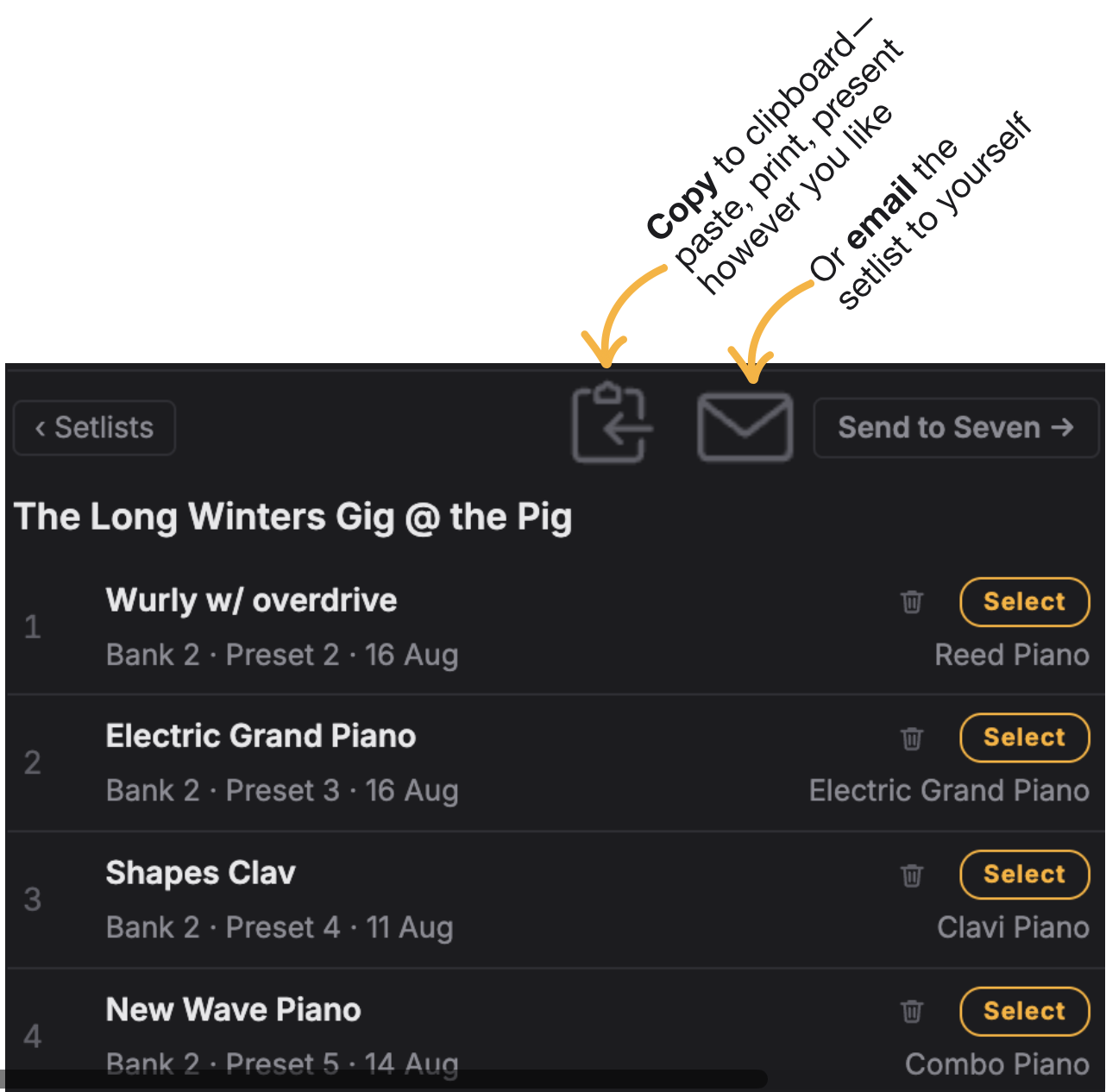
Click copy and the setlist is on your clipboard. Paste it into a text doc and print it. Or, if you’re like me, paste it into the native Apple Notes app—it syncs to your iPhone. Google ‘Keep’ does the same thing on Android.
Or email it to yourself. In a pinch you can pull the email up at the gig to remind yourself where everything lives.
Got another show next week with an “Outdoor Music Festival Setlist”? No prob — copy, then paste, print or present how you see fit. Or email the new setlist to yourself (and peek at your phone between songs on stage).
Sometimes the simplest solution is best. I’m open to something more ambitious later. In the meantime, take it for a spin.